No account
Nothing to sign up for, on the phone or the computer. You pair once with a QR code or six digits. The optional purchase goes through your Apple Account.
We don't want your email.Augustus Skipworth & SkipWire Laboratories proudly present
CouchWand turns your iPhone or iPad into a multi-touch trackpad, a keyboard with dictation and a gamepad for a Mac or a Windows PC across the room. Your input goes encrypted, straight from phone to computer over your own Wi-Fi. No account. No server of ours in between.
Nobody should have to get up
to click Skip Intro.
Free, brought to you by our sponsors, Up There. (That's the banner at the top of the screen. $3.99 once buys them out.) The Mac and Windows host apps are free, with no ads at all. No subscription. No account. No standing.

“In the living room of the future, ladies and gentlemen, no man will rise from his chair to press a button across the room. The button will come to him. Or rather, he will reach it, from wherever he happens to be seated.” The Narrator
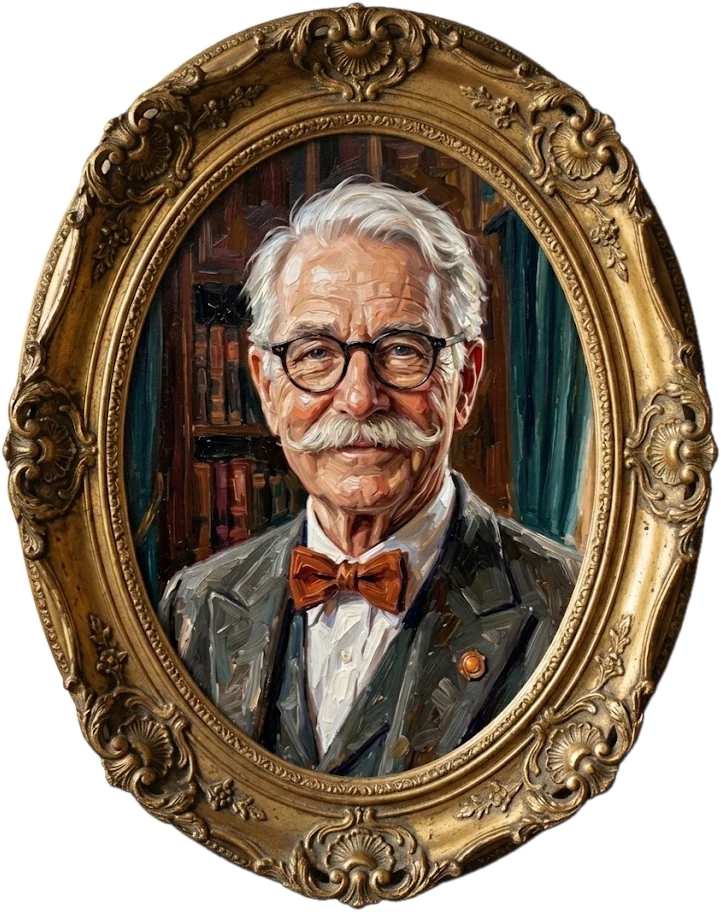
Thank you, Narrator, that'll do. Folks, Gus Skipworth. I haven't walked since 1974 and I don't intend to start for a computer. In 1958 I had a mechanical hand built that reaches across the hangar. Now it fits in your pocket. You're welcome. Hold still, the future's loading.
Augustus Skipworth, from his chairFriday evening · The Skipworth screening room · Sixty feet from the computer
The Founder is installed in the front row of the screening room, which he paid to have rotate. On the computer at the far wall, a small grey box appears in the corner of the picture: Skip Intro. It will vanish in ten seconds.
The moving walkway does not run to the computer. It runs from bed to breakfast. It has never been asked to do anything else.
The Butler“Shall I press it, sir?”
The Founder“Absolutely not. Bring me the Hand.”
The Long-Distance Hand is wheeled in on its brass cart. It unfolds. It reaches. It arrives in nine seconds, and the box disappears in eight.
The Founder“Harriet. Make it smaller. Make it fit in my waistcoat. And make it work on the Windows machine too. I own one of those for reasons.”
Read the Founder's full account in the archives ↓The Narrator Miss Harriet Pell, Chief Engineer, built the Long-Distance Hand in 1958 and the pocket edition in rather longer than the Founder allotted. Her name appears on neither. The Agreeable Butler, who had changed the channel for the household since 1979, has been reassigned to agreeing full time. He says he's fine.
For the record, here is how the Hand has shrunk over the years, according to the Founder's own ledger. Drawn to scale.
Each bar is drawn to scale against the Mark I. The last one is drawn to scale too. You may need to squint.
Reach is measured from the Founder's chair. Weights from the Founder's ledger, which the Narrator has asked us to describe as “his.”
CouchWand is the Hand. Stay seated. Click anyway.
The phone and the computer meet once. It takes about a minute. After that, they are friends for life, or until you say otherwise.
On the Mac it lives in the menu bar; on Windows, in the system tray. No window, no Dock or taskbar icon. On a Mac, allow Accessibility once so it can move the pointer and type.
“It asks for no Dock. Modesty is a feature I install in others.”Phone on Wi-Fi, computer on the same Wi-Fi or wired to the same router.
“Same house, same wire. Wire isn't free, but this bit was.”Choose Pair New Device… in the menu bar or tray. Scan the QR code with CouchWand, or type the six digits.
Slide a finger and the pointer moves. From then on the app reconnects by itself. Pairings never expire; they end only when you remove them.
Studio Mac “Further!”Every step in detail, with the troubleshooting checklist · No computer handy? In the app, open the Computers list and choose Try demo.
Each specimen has been tested by laboratory staff, from their chairs. Nobody stood. That was the test.
Your phone becomes a multi-touch trackpad that tells a scroll from a pinch and a tap from a drag. The host turns each gesture into what your computer expects.
“I have ten fingers. I use one. The other nine supervise.” · Gus
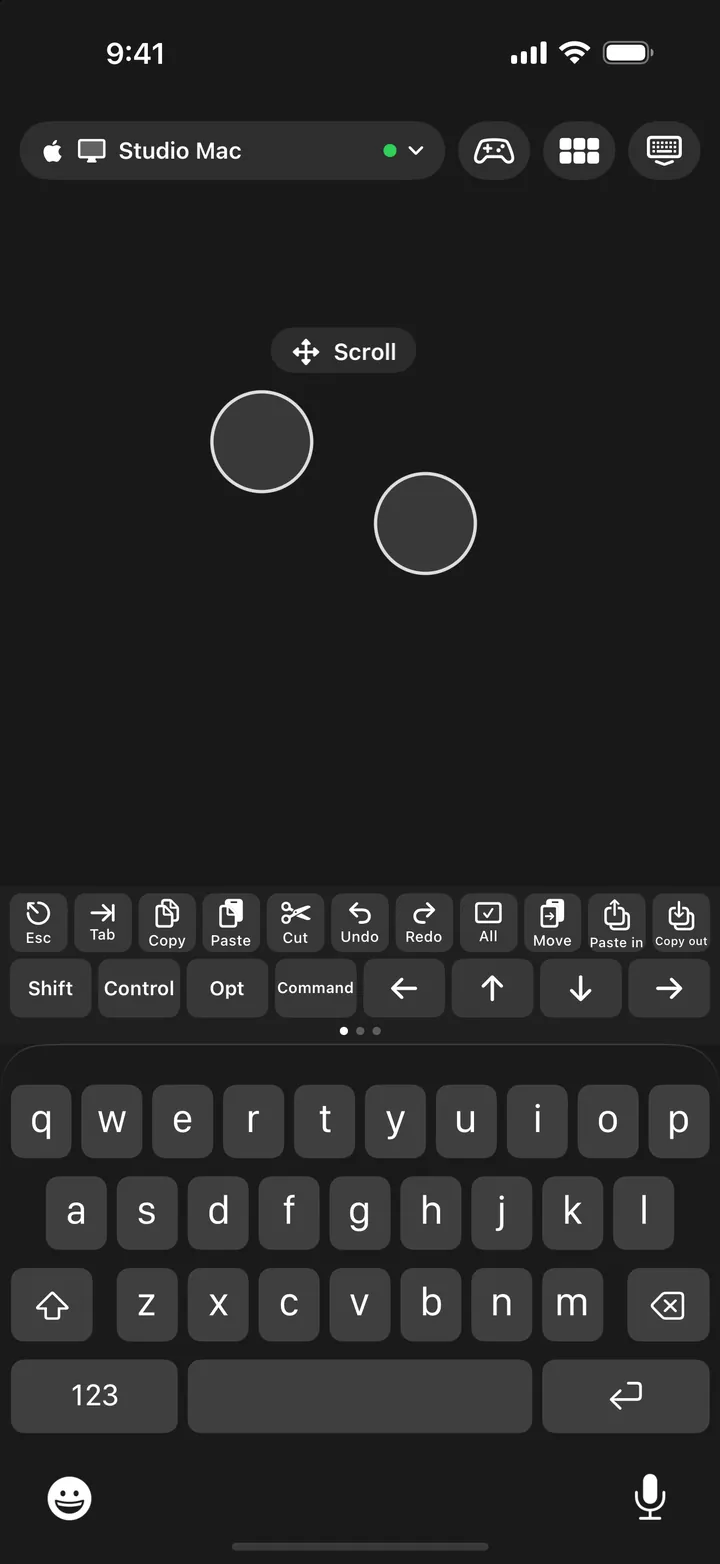
Type with the iOS keyboard you already use. Above it sits a shortcut palette with three pages: Keys, Media and System. It speaks your computer's language.
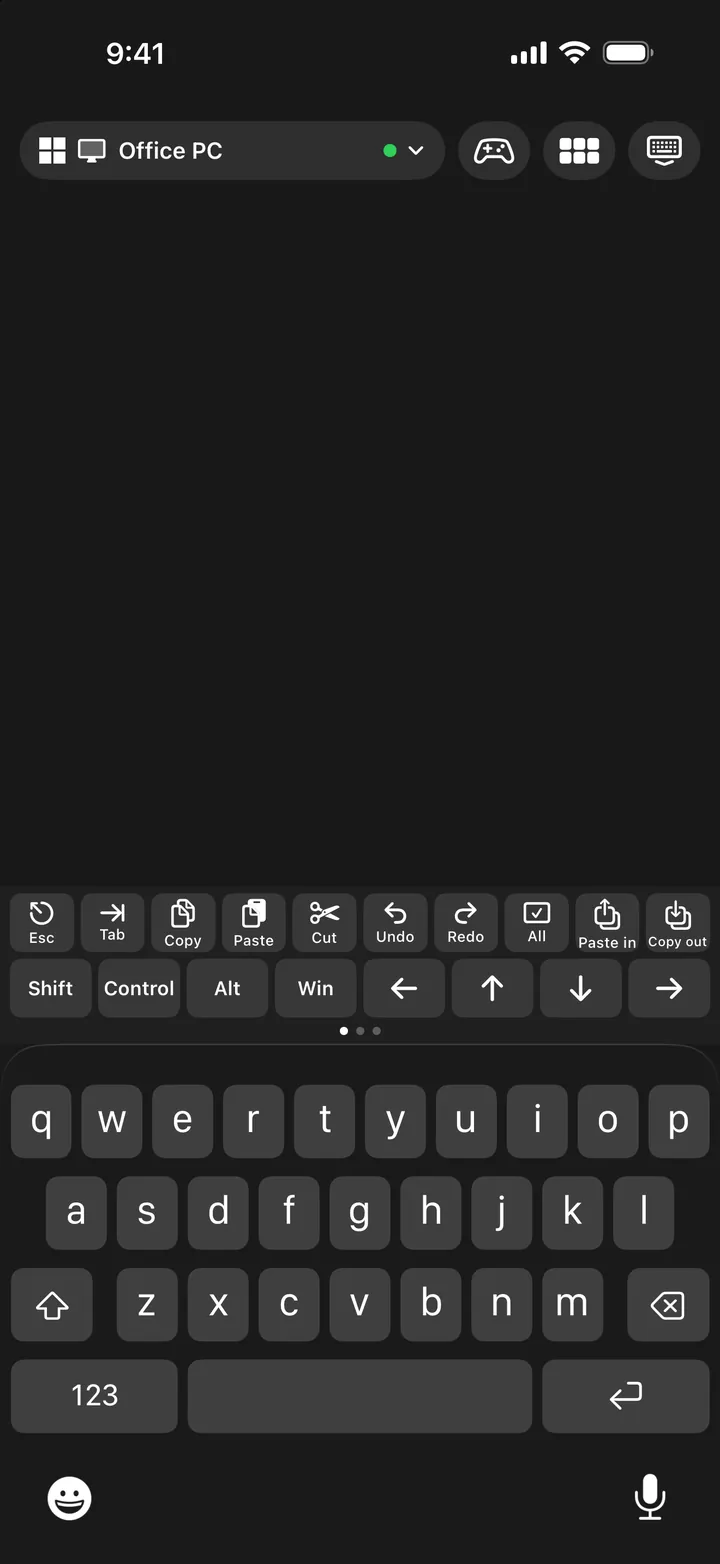
“A Command key on a Windows machine is a rash. We do not spread rashes.” · Gus
Rotate the phone and the keyboard splits in two, one half under each thumb, with the palette split above them. Everything else, including the corridor down the middle, stays one continuous trackpad.
“Two thumbs. Both mine. Both working.” · Gus
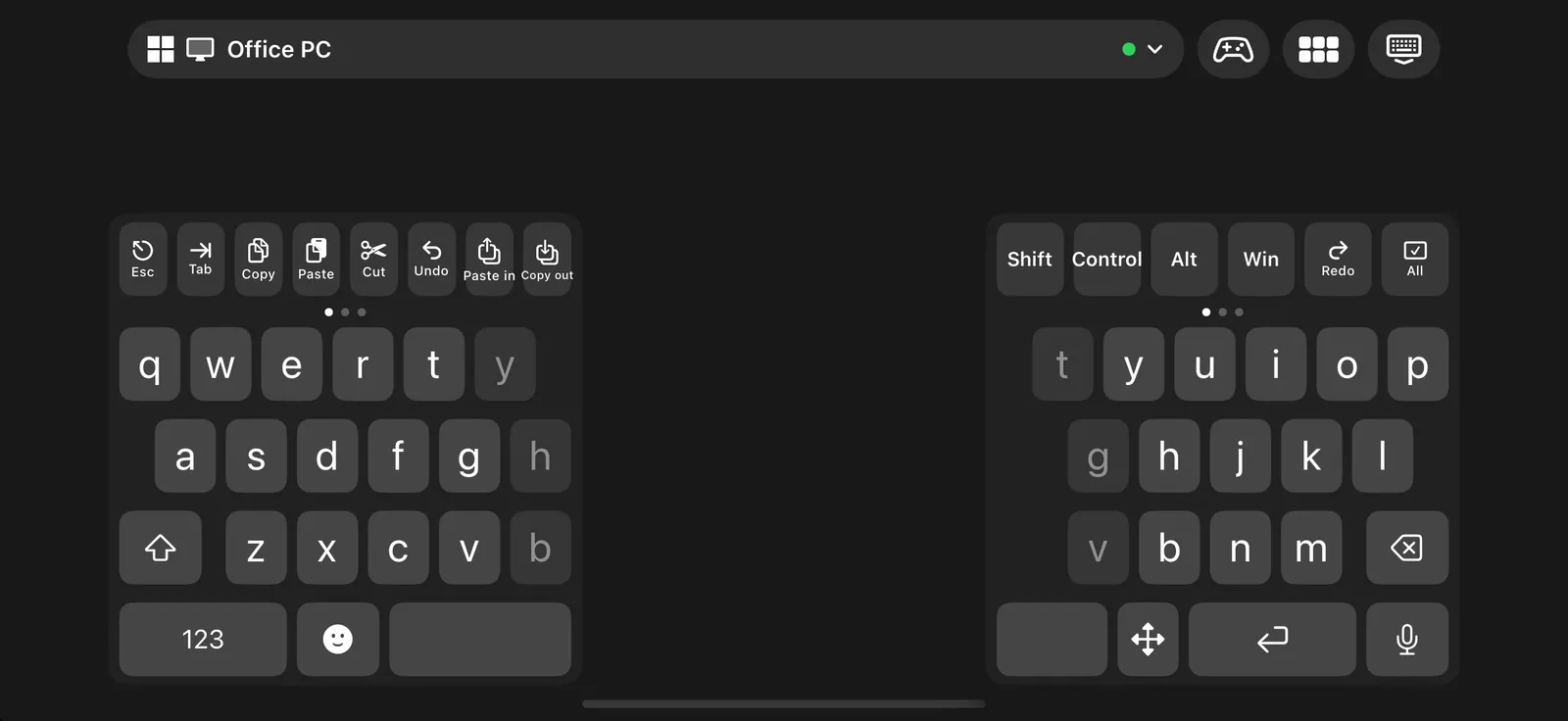
Tap the mic key on the iOS keyboard and talk. The words appear on the computer as you speak, corrections included. iOS does the listening; CouchWand sends the text like typing.
“I haven't typed since 1958. I dictate. The machine types. The machine has never once asked for a raise.” · Gus
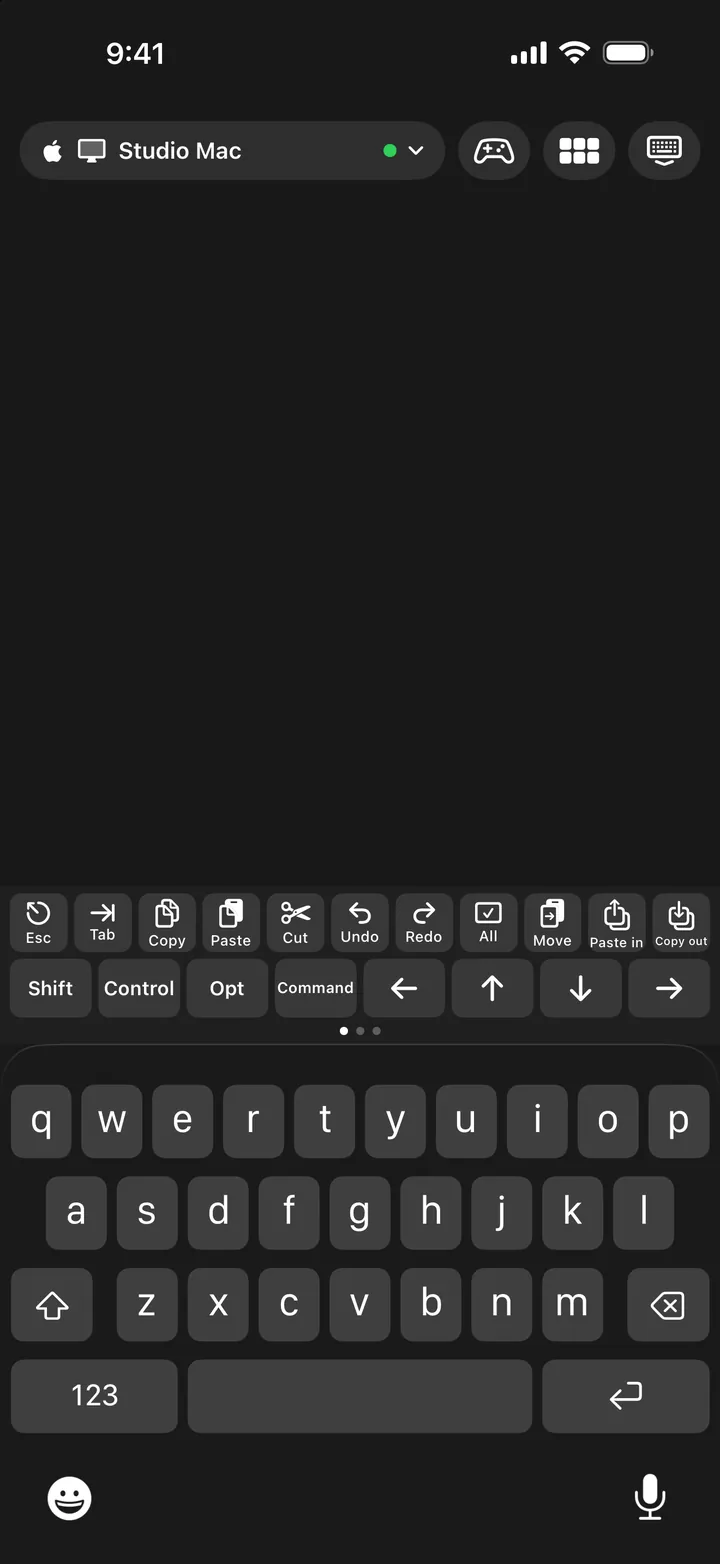
Tap the controller button and the phone becomes a gamepad with five layouts, including Touch, where a stick appears wherever your thumb lands.
“I challenged the yo-yo champion to a racing game. He has not been the same.” · Gus
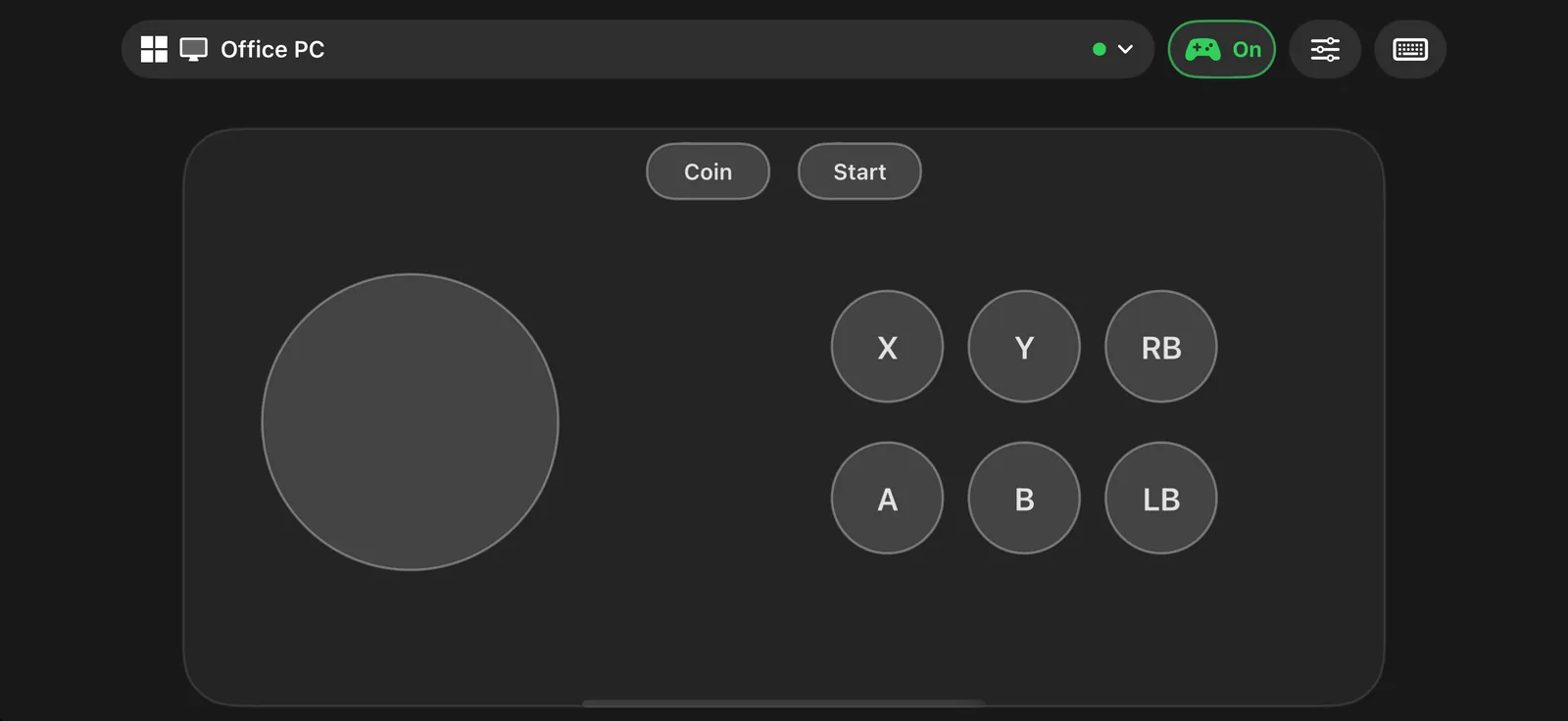
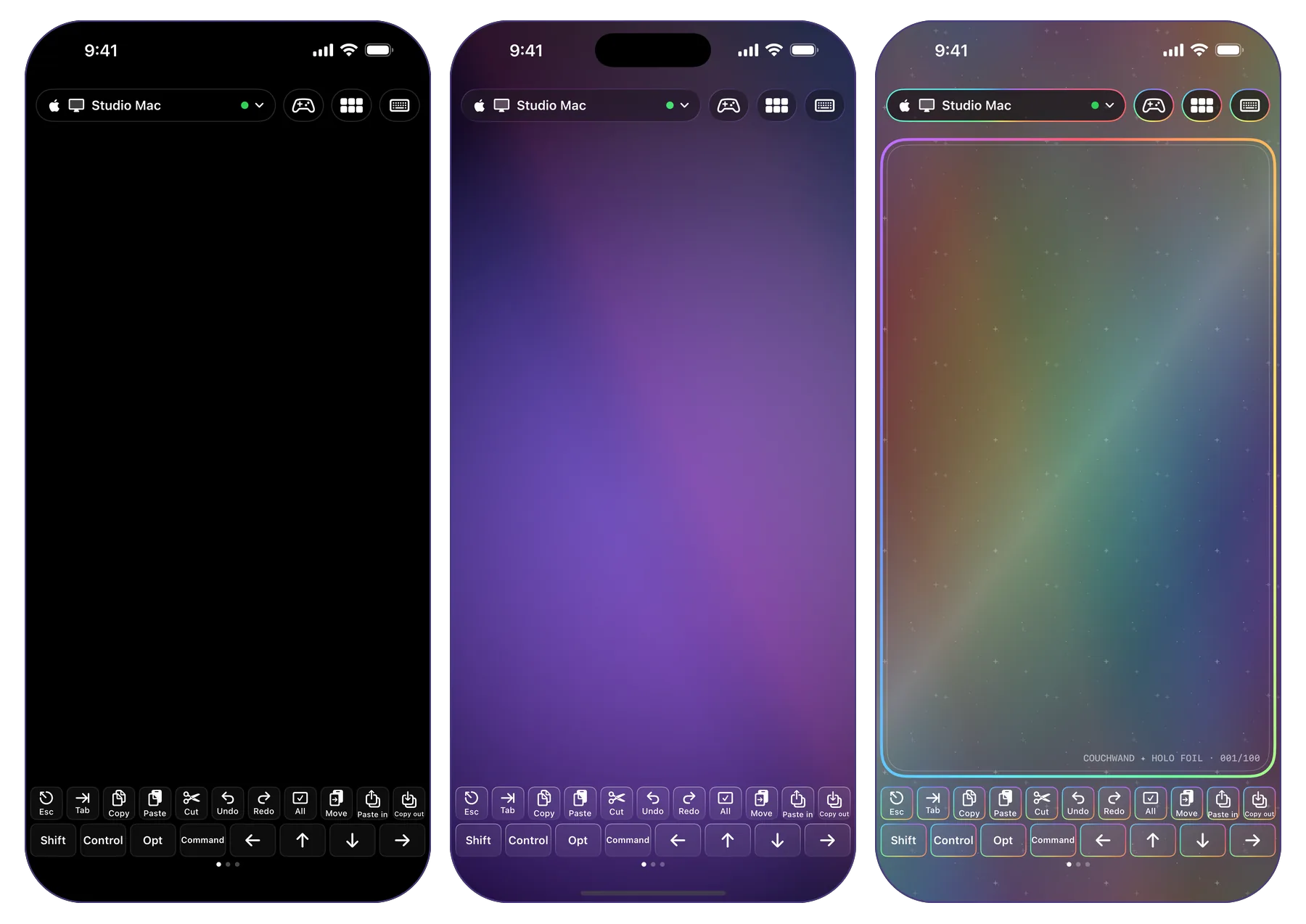
Pair as many Macs and PCs as you own. The pill at the top shows which one you're driving, with a green dot when it's connected. Tap it to switch, and the palette changes its keys to match.
“I have one in every room, including the pantry. The pantry's runs Windows. It knows what it did.” · Gus
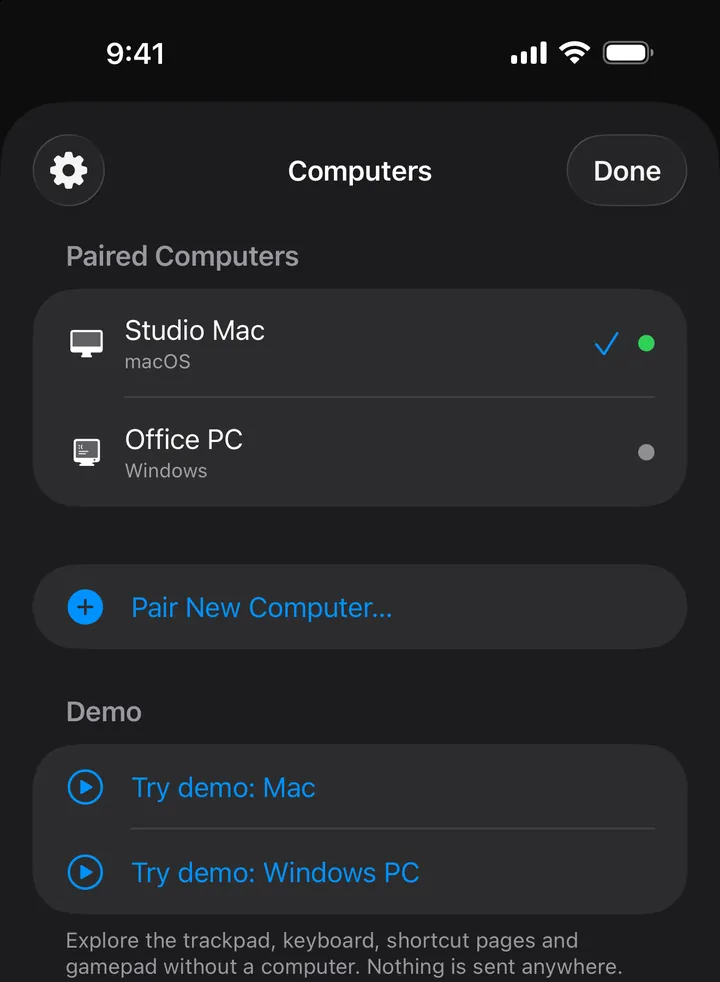
Design your own shortcut pages: buttons for any key or chord, typed snippets, mouse clicks, and macros that chain steps with timed delays. Start from a preset or from nothing.
“Every button does exactly what I say. I find that very restful.” · Gus
A hand that types your passwords had better have manners. These are its manners.
Nothing to sign up for, on the phone or the computer. You pair once with a QR code or six digits. The optional purchase goes through your Apple Account.
We don't want your email.There is no CouchWand server. The phone talks to the computer over your own home network, and nowhere else. Anything from outside it is dropped at the door.
Phone to computer. Full stop.Every input packet is encrypted and authenticated with published algorithms (X25519, Ed25519, ChaCha20-Poly1305). No analytics of our own, and no logging of what you type.
Your passwords stay yours.If the phone disconnects, goes to the background, rotates, or goes quiet for a second and a half, the computer lets go of every key and button it was holding.
It always lets go.The Narrator In fairness to the record: the free edition shows one banner from Google AdMob, which makes its own requests after asking your consent where that applies. Buy Remove Ads + Themes and the ad SDK is never started. The host apps check this website for a new version once a week. That is the whole list.
| Topic | The Agreeable Butler | CouchWand |
|---|---|---|
| Getting up | Gets up. Every time. Without complaint. | Nobody gets up. |
| Response time | “Presently, sir.” | Under 0.2 ms median one way in our loopback benchmark. Your Wi-Fi adds its own. |
| Typing a password | Reads it aloud as he types, to be sure. | Encrypted, phone to computer, nobody else. |
| Mac and Windows | “I don't do Windows, sir.” | Both, with the right keys for each. |
| Upkeep | Room, board and a small herb garden. | Free, or $3.99 once to buy out the sponsors. |
| When you leave | Waits up. | Lets go of every key, at once. |
Every remote feature is free, for as long as you like. One purchase, once, takes down the sign and hands you the keys to the Studio.
“Subscriptions are for Solitary Lake Partners. Pay once and go home.” · Gus
Up There, bought out. For good.The purchase is tied to your Apple Account; Restore Purchases in Settings brings it to a new phone. Nothing about CouchWand renews, expires or emails you.
“And a warm thank-you to our sponsors, Up There. Fine people. Generous people. I have never once looked at them.”Augustus Skipworth, eyes front
The Narrator “Up There” is whoever the advertising network has placed in the banner at the top of the screen. The Founder does not look up. Looking up is the first step toward getting up. For $3.99, once, you can buy them out and stop wondering.
Because a couch remote is something you might only use on Friday nights. Start a seven-day trial on a Tuesday and it has expired before the media PC is even switched on. With one banner, you test on your own schedule, on your own couch, and pay once when the sign starts to bother you.
The banner never covers the trackpad, palette, keyboard or gamepad.
Folks, you don't remove a sponsor. You buy him out. In 1957 a hotel told me checkout was at eleven, so I bought the hotel. Three dollars and ninety-nine cents buys out Up There, permanently: they go home, you keep the couch. I'd have made it cheaper, but wire isn't free, and neither is Harriet. That'll do.
Augustus Skipworth, on the BuyoutMr. Skipworth abolished the forms. Simply choose your machine. You'll want the host app on the computer and CouchWand on the phone.
Not code-signed yet, so SmartScreen may hesitate. Choose More info, then Run anyway. Mr. Skipworth has offered to buy SmartScreen.
“Install it on every computer you own. I did. Including the one in the zeppelin.”Augustus Skipworth
The whole remote is free: trackpad, keyboard, dictation, palette and all five gamepad layouts. It is brought to you by our sponsors, Up There, which is to say one banner ad at the top of the screen. $3.99 once removes it and unlocks the Studio, themes and icons. The host apps are free with no ads.
Whoever the advertising network puts in the banner at the top of the app that day. It changes. We don't choose them and Mr. Skipworth has never looked. Remove Ads + Themes ($3.99 once, or as the Founder calls it, the Buyout) thanks them for their service and sends them home.
No. There is nothing to sign up for, on the phone or on the computer. You pair once with a QR code or a 6-digit code. The optional purchase goes through the App Store on your Apple Account.
Your mouse movements and keystrokes travel only over your local network, encrypted, between phone and computer. The host apps fetch a small public version file from this website once a week and when you choose Check for Updates. In the free edition, the ad network makes its own requests to load the banner, after asking for consent. With Remove Ads + Themes, the ad SDK never starts.
macOS only lets an app move the pointer and type for you once you allow it: System Settings, Privacy & Security, Accessibility, then turn on CouchWand. The menu bar item shows whether it's granted and links to the right page.
The host app is running; both devices are on the same Wi-Fi; Windows Firewall allows CouchWand on private networks; and no VPN or guest Wi-Fi with client isolation is in the way. Still stuck? Remove the pairing and pair again. The full checklist is on the support page.
Yes. On Windows, with the free ViGEmBus driver installed, CouchWand appears as a virtual XInput-compatible controller. On a Mac, or on Windows without the driver, the sticks and buttons become keys and mouse actions you can remap. ViGEmBus is a separate third-party project that CouchWand doesn't include.
Any that runs iOS or iPadOS 17 or later. Control Center, Lock Screen and Action button controls need iOS 18.
To unpair, choose Remove next to the device in the menu bar or tray, or swipe left on the computer in the app's Computers list. To restore, open Settings in the app and tap Restore Purchases, signed in with the same Apple Account.
He says so. The Narrator has asked us to point out that remote controls are several decades older than CouchWand. Mr. Skipworth has asked us to point out that the Narrator was standing up at the time.
Mr. Skipworth would like it known that he supplied the vision. Miss Harriet Pell supplied the, what do you call it. The rest.
He would prefer you didn't ask. CouchWand is real, though, and you can stay seated while you find out.
Gus Skipworth is the proprietor of SkipWire Laboratories, a Division of Tomorrow. He inherited a modest fortune in 1949 and made it immodest by Thursday. He has not walked since 1974: a moving walkway takes him from bed to breakfast, and his desk runs on a monorail. For everything else, there is the Hand.
Folks. On Friday evening I sat down in my screening room to watch a picture. I had earned the sitting. I have been earning it since 1974.
Sixty feet away, on the computer at the far wall, a small grey box appeared in the corner. It said Skip Intro. It gave me ten seconds.
Now, I do not get up. This is not laziness. Laziness is a man who could get up and won't. I am a man who has arranged his entire estate so that the question never arises. The walkway goes to breakfast. The desk goes on a monorail. And the buttons, all of them, are pressed by the Hand.
The Butler offered to press it. He always offers. He is an agreeable man and I do not deserve him, which is why I have him.
“Absolutely not. Bring me the Hand.”
The Hand arrived in nine seconds. The box left in eight. I watched the whole introduction, all ninety seconds of it, in silence, out of respect for the defeat.
And I thought: every man in America has a computer across a room and a chair he'd rather not leave. Most of them do not own forty feet of brass. Most of them own a telephone.
So I called Harriet, from the chair, and I said: make the Hand fit in a telephone. Make it work on a Macintosh and on the Windows machine. Make it talk to nobody but the computer it's pointed at. No exchange, no switchboard, no fellow in the middle reading what I type. And make it let go of everything the moment I'm done with it, because a hand that won't let go is not a hand, it's a lawsuit.
She said it would take a while. It took a while. I have named it after the couch, which is where I'll be.
“Stay seated. The future reaches.”
Tries sleep. Finds it too horizontal. Never tries it again.
Verdict“Too horizontal.”Unveils the Long-Distance Hand: forty feet of brass, one white glove, three operators.
Verdict“Adequate reach.”Puts his desk on a monorail, so the work comes to him.
Verdict“Overdue.”Takes his last step. Installs a moving walkway from bed to breakfast.
Verdict“Final.”Assigns the Agreeable Butler to the television dial, permanently.
Verdict“Too loyal.”Runs point to point on the walkway, in a straight line through the accounting office.
Verdict“Damp, but correct.”Right-sized by Solitary Lake Partners and escorted from the building at 9:04 a.m. Keeps the chair.
Verdict“The chair is the company.”The Hand fits in a pocket, reaches any Mac or PC on the network, and lets go when asked.
Verdict“Merely accurate.”A footnote from the Narrator. Miss Pell's name is not on any of these plaques. The accountants have since dried out. The Butler's herb garden, which the walkway was rerouted through in 1983, now grows in a tunnel. He visits it on Sundays. Mr. Skipworth has never asked where he goes.
Where Mr. Skipworth has been since 1974. Elevation: seated.
The Laboratories' physician recommends getting up and walking over to the computer at least once a day.
Sit down. I haven't since 1974, and look how I turned out. The physician has been reassigned to the pantry.
Augustus SkipworthOn loan from the hangar, and set down beside the button only temporarily. The Skipwrights assure us it is perfectly stable.
It is perfectly stable.